
Week 6 of imaging class was about the introduction to photoshop another software from the adobe family
Adobe photoshop is a raster graphics software whereas Adobe illustrator is a vector graphics software. In terms of tools and effects few of the elements are same in both illustrator as well as photoshop.
We went through few of the elements which were: menu bar, option bar, layer pallet, tool box.
1)In illustrator the workspace area is called art boards whereas in photoshop the workspace is called canvas.
2)To work on the canvas they layer pallet plays an important role
We explored the tools:
- Move tool- helps to pick and move objects across canvas
- Rectangular marque tool
- The layer pallet
- Paint bucket tool
- Layer panel
- Feather effect
- Filter- blur
- Place embedded- helps to place image on the canvas
All short cut keys to work on photoshop are as follows:
Ctrl D – to create a new layer
Ctrl D – to deselect the moving selection
Ctrl Z – to undo
Ctrl+ alt +Z – for complete undo at once
Ctrl T – to enlarge, minimize or to tilt the object or image.
Ctrl + – to zoom in
Ctrl – to zoom out
alt+ backspace – to fill foreground colour
ctrl +backspace – to fill background colour
ctrl j – layer via copy
ctrl+ shift+ S- to save as
ctrl o – to fit in screen
mouse + shift key- for proportionate drawing
ctrl+ I – to invert image
ctrl+ shift+ U- to desaturate
ctrl A- select all
Steps to create feather blur background to an image:
- Click on selection tool
- Change the feather effect to 40px
- Using rectangular marque tool or elliptical marque tool and select the portion you want to keep
- Add a new layer
- Ctrl +shift + I – invert the image
- Select white colour and fill in using paint bucket tool.


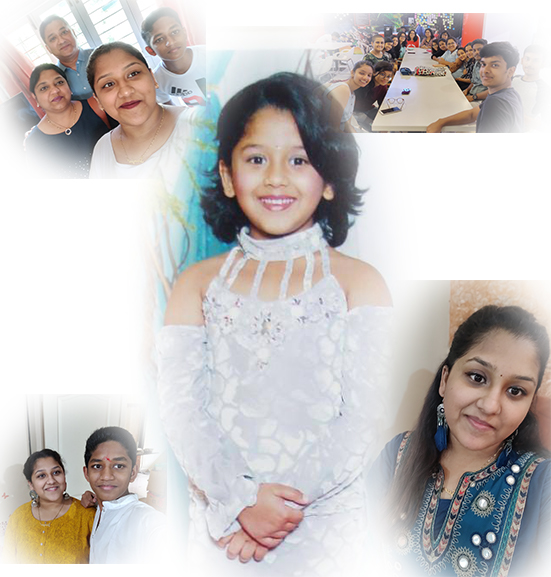
I learnt as to how collages and picture editing are done and could implement them while making the collage.

 Sanjana blogs